
$0 Quote? Don’t Trash It. How to Repurpose Your Old Tech.
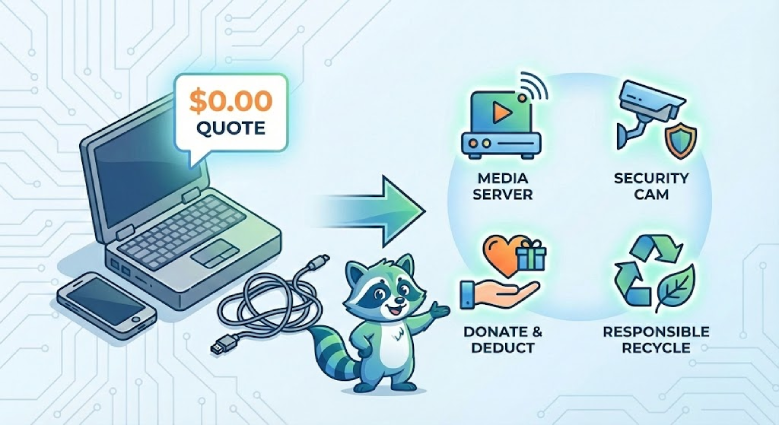
Let’s be honest: Getting a quote of $0.00 for your device stings. You paid good money for this machine a few years ago, and now a website is telling you it’s worth nothing.
Before you get frustrated, I want to explain why this happens—and more importantly, show you how you can still squeeze real value out of that laptop, phone, or tablet, even if we can’t buy it.
Why did I get a $0 offer?
At CanItCash, we pride ourselves on competitive offers. However, if a device is too old to resell, or if the cost to ship and process it is higher than its market value, we simply can’t purchase it without taking a loss.
But “No Cash Value” does not mean “Useless.”
Here are expert ways to reuse, repurpose, or recycle your device responsibly.
1. Got an Old Laptop? “Revive” it.
If your laptop is sluggish or can’t run Windows 11, the hardware isn’t necessarily broken—the software is just too heavy.
Option A: Install ChromeOS Flex
Google’s free ChromeOS Flex turns your slow, aging Windows laptop into a snappy, secure Chromebook. It’s perfect for a “kitchen computer” for recipes or a first laptop for a child. Click here to learn about ChromeOS Flex.
Option B: Create a Media Server
Stop cluttering your main computer with movie files. Install Plex on your old laptop, plug in an external hard drive, and stream your movies to every TV in your house.
2. Got an Old Phone or Tablet? Repurpose it.
Just because the battery doesn’t last all day doesn’t mean the device is dead. Since it has Wi-Fi and a camera, it’s still a powerful tool.
- Free Security Camera: Apps like AlfredCamera can turn an old iPhone or Android into a motion-detecting security camera you can view from anywhere.
- Dedicated Remote/Controller: Wipe the phone and install only your smart home apps (Hue, Sonos, Apple TV). Leave it on the coffee table as a dedicated “House Controller.”
- Digital Photo Frame: Set an old iPad on a stand, plug it in, and set it to loop a Google Photos album. You just saved $100 on a digital frame.
3. Donate It (And Get a Tax Break)
If you don’t need a spare device, someone else definitely does. While the street value might be $0 to a reseller, the tax deduction value could be higher.
Many non-profits accept working electronics to help students or veterans. Because they are 501(c)(3) organizations, you can often claim the fair market value of the donation on your taxes.
- Where to look: Check with local women’s shelters, “Computers for Kids” programs, or Goodwill.
4. The Last Resort: Responsible Recycling
If the device is truly dead, or the screen is smashed, please do not throw it in your household trash.
Electronics contain lithium-ion batteries. When these are crushed in garbage trucks, they can cause fires.
- Where to recycle for free: Most Best Buy and Staples locations have free recycling kiosks at the entrance.
⚠️ Crucial Step: Wipe Your Data First
Whether you are donating, repurposing, or recycling, protect your identity.
- For Laptops: Go to Settings > Update & Security > Recovery > Reset this PC.
- For Phones: Go to Settings > General > Erase All Content and Settings.
Final Thoughts
We’re sorry we couldn’t buy your device this time. The tech market moves fast. However, we hope this guide helps you get a little more life out of your electronics.
When you are ready to upgrade your current setup in a few years, keep CanItCash in mind—we’ll be here ready to give you a quote.